RadioAtlas is my love letter to broadcast culture, a map-first radio explorer that turns tens of thousands of stations into pins you can tap, swipe, and save like musical postcards. It began as a TUM iPraktikum Introcourse project with a seven-day runway and quickly escalated into a full-on obsession with one question: how far can you push modern iOS frameworks to make radio feel adventurous again for listeners who grew up on autoplay queues?
Preserving radio culture through an interactive world map - an iOS app development post-mortem.
TL;DR
RadioAtlas lets you tune into places, not playlists. Under the hood it combines the community-driven Radio Browser API, SwiftUI, SwiftData, a lazy-loaded MapKit interface, and a custom playback stack wired into Apple's Now Playing system. The result is a globe where every pin is a story: tap Munich, Botswana, or a random village in rural Australia and you're instantly listening to local radio, with full support for background audio, Apple Watch, and CarPlay.
Radio isn't dead, but it is fragile. Stations shut down quietly when ad money moves elsewhere and algorithmic playlists fill the gap with perfectly optimized, perfectly forgettable background noise. With every station that disappears you lose more than a URL, you lose accents, local news, awkward morning shows and that one weird jingle everyone in a city knows by heart. RadioAtlas grew out of that feeling. Instead of yet another "genre + mood" picker, I wanted an app that says: pick a spot on the map and we'll beam you into whatever the locals are listening to.
How do we entice a generation raised on instant, algorithmic streaming to explore traditional radio again?
The answer, for me, was to lean into exploration. RadioAtlas doesn't open on a list, it opens on a globe. You pinch, drag, and zoom your way across continents, watching clusters of stations break apart into individual pins as you dive deeper. It feels less like scrolling a playlist and more like spinning a physical globe, stopping somewhere with your finger, and asking: "What does this place sound like right now?"
That focus on culture and playfulness paid off. What started as a student project ended up winning 1st place in the Winter 25/26 iPraktikum Introcourse competition. The trophy is nice, but the real win was seeing an entire room of people realise they could jump from a small Bavarian village station to a jazz stream in New York in two taps.
Motivation and Vision
I built RadioAtlas to keep radio's context alive. When you tune into a station in the app, you're not "starting a stream", you're parachuting into a particular language, city, and moment in time. That framing quietly influenced every product decision. The home screen is a map, not a table view. Station cards foreground the place and the station's identity before they talk about bitrate or tags. Onboarding doesn't ask you to pick genres, it offers you places: jump straight to where you grew up, where you're living now, or somewhere you've never been.
Because the target audience is used to ultra-slick streaming apps, RadioAtlas had to feel playful rather than retro. Panning across clustered pins, drilling into small towns, and rewinding your station history behaves more like a lightweight game than a utility. There is a little bit of curiosity baked into every interaction: what happens if I zoom into this tiny island? What if I keep hitting "next" in the station history until the app throws something completely unexpected at me?
The map-first home screen keeps exploration tactile, station cards lead with place and identity before any tech specs, and little curiosity loops like history, random jumps, and zooms nudge you to keep wandering instead of settling for the first stream.
What RadioAtlas Actually Does
Underneath the romantic "listen to the world" pitch, RadioAtlas does some very concrete things. It pulls a massive catalogue of internet radio stations from the community-driven Radio Browser API and turns that into a world-scale map you can actually navigate on an iPhone. From that shared database, the app knows about major broadcasters in capital cities, tiny volunteer stations run out of community centres, and everything in between. Once those stations are stored locally, you can browse, search, save favourites and hop between recent stations like you'd move through browser tabs.
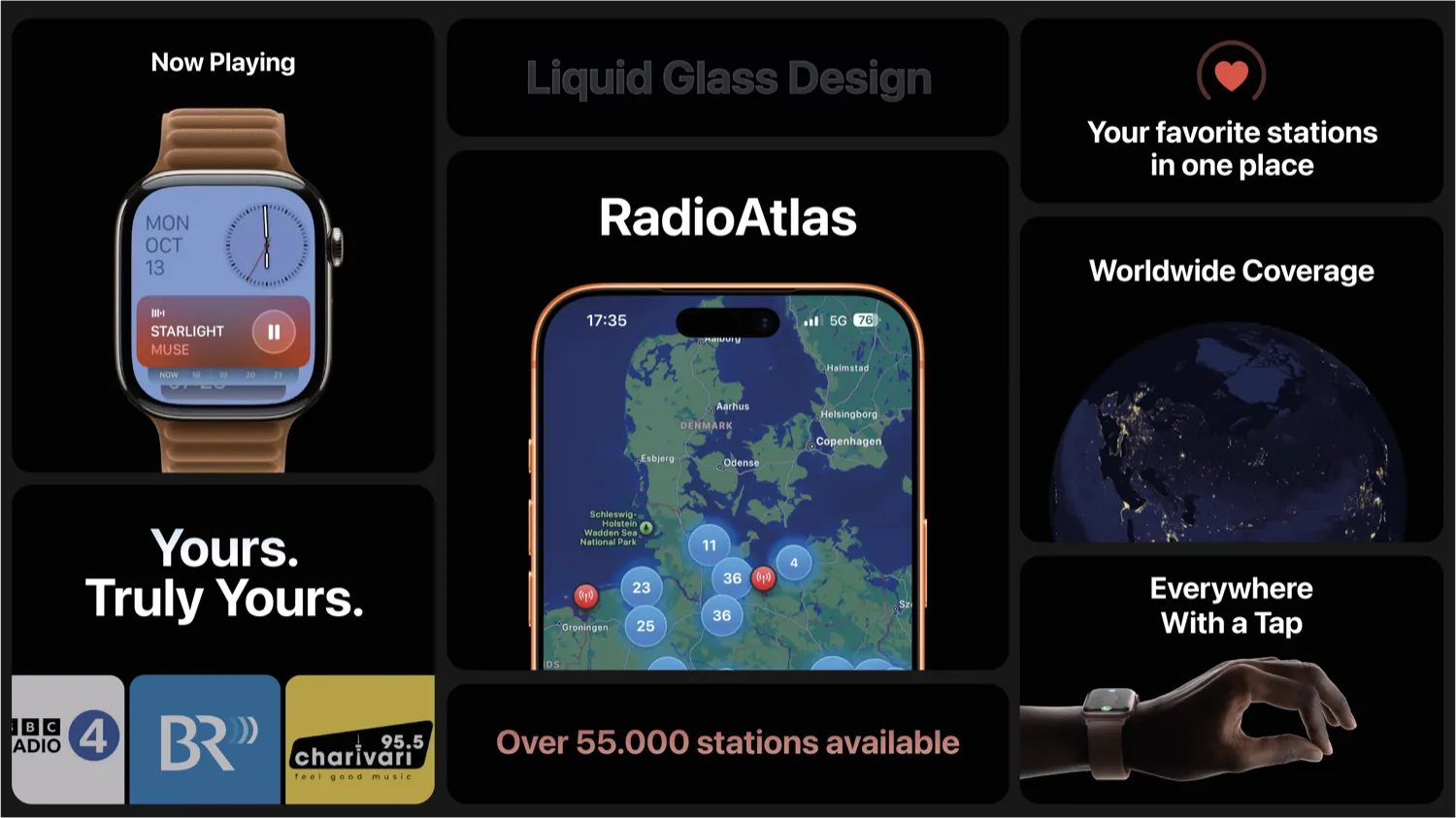
The discovery experience is map-first. You start with a globe sprinkled with clusters of stations. Zoom into Europe, then Germany, then Munich, and clusters dissolve into individual pins. Tap a station and a Now Playing sheet slides up with the name, location, and (when the station provides it) the current track metadata. You can favourite stations, share them, or just close the sheet and keep exploring. If you're not in a map-mood, a dedicated search screen lets you look up stations by name, country, language or tags, combining your local cache with live API queries so you don't have to wait for a full global sync to find something specific.
Everything you touch is persisted. Any station you've played or saved as a favourite lives in SwiftData, which means your history behaves like a browser: you can go backwards and forwards through the places you've visited. When you hit the end of that stack and still feel curious, RadioAtlas throws you into a random station from the database, an "I'm feeling lucky" button disguised as a radio feature.
Clusters dissolve into individual pins as you zoom, search mixes cached data with live lookups when you need precision, and the visited stack works like a browser so you can hop back, forward, or roll the dice on a random station.
Under the Hood: Architecture and Data Flow
Making this feel effortless on a phone required a fairly disciplined architecture, even if the UI is intentionally playful. The backbone is the Radio Browser API, which exposes station metadata, stream URLs and geo-coordinates through a set of HTTP endpoints. Instead of pulling the entire database on launch and hoping for the best, I wrote a small Swift client that understands the different mirrors, can recover from failures, and translates responses into local RadioStation models.
On first run, the app performs an eager sync of roughly the top ten thousand stations sorted by popularity. This gives the map something meaningful to show immediately, even on weak connections, and populates the local SwiftData store with a decent baseline. From that point on, everything is incremental. The map tells the data layer which region is visible, and the repository responds with stations inside that bounding box. When you pan or zoom, a debounced callback fires off another request, and SwiftUI only re-renders the deltas thanks to its diffing.
To avoid turning cities into unreadable seas of pins, I integrated a clustering layer so that dozens of stations at the same zoom level collapse into a single icon with a count. As you zoom in, clusters split apart naturally. That combination, viewport-aware loading plus clustering, means the app rarely has to juggle more than a few hundred annotations at once, even though it has access to tens of thousands of stations in total.
The rest of the architecture follows a clean, layered approach. SwiftUI views are as dumb as possible: they render lists of stations and simple view state, nothing more. Application state lives in a handful of @Observable-powered managers like RadioPlayerManager and StationHistoryManager, while the StationRepository backed by SwiftData is responsible for talking to the API, writing to disk, and scheduling the daily refresh. Each piece has a small, well-defined job, which made debugging and iteration a lot less dramatic than it could have been.
Radio Browser API feeds a resilient client that handles mirrors and retries, StationRepository + SwiftData own persistence and refresh cadence, and a few @Observable managers drive intentionally simple SwiftUI views.
Playback and the Apple Ecosystem
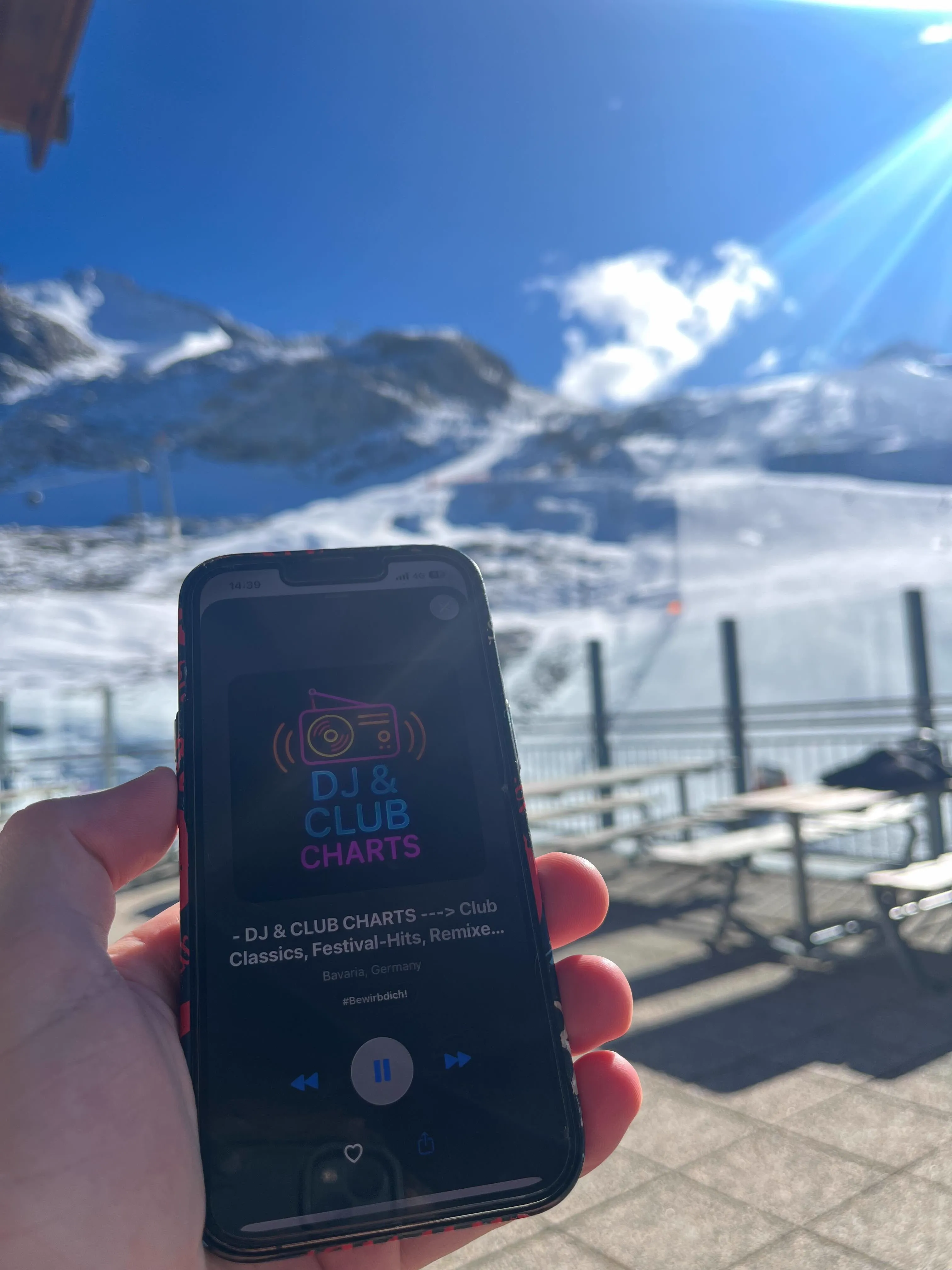
A radio app isn't judged by how pretty its map is, it's judged by what happens once you turn off the screen. I wanted RadioAtlas to behave like any serious audio app: background playback, proper lock screen controls, Apple Watch integration, and sensible behaviour in the car. To get there, I wrapped the open-source FRadioPlayer into a dedicated manager and built the rest of the experience around Apple's MediaPlayer framework.
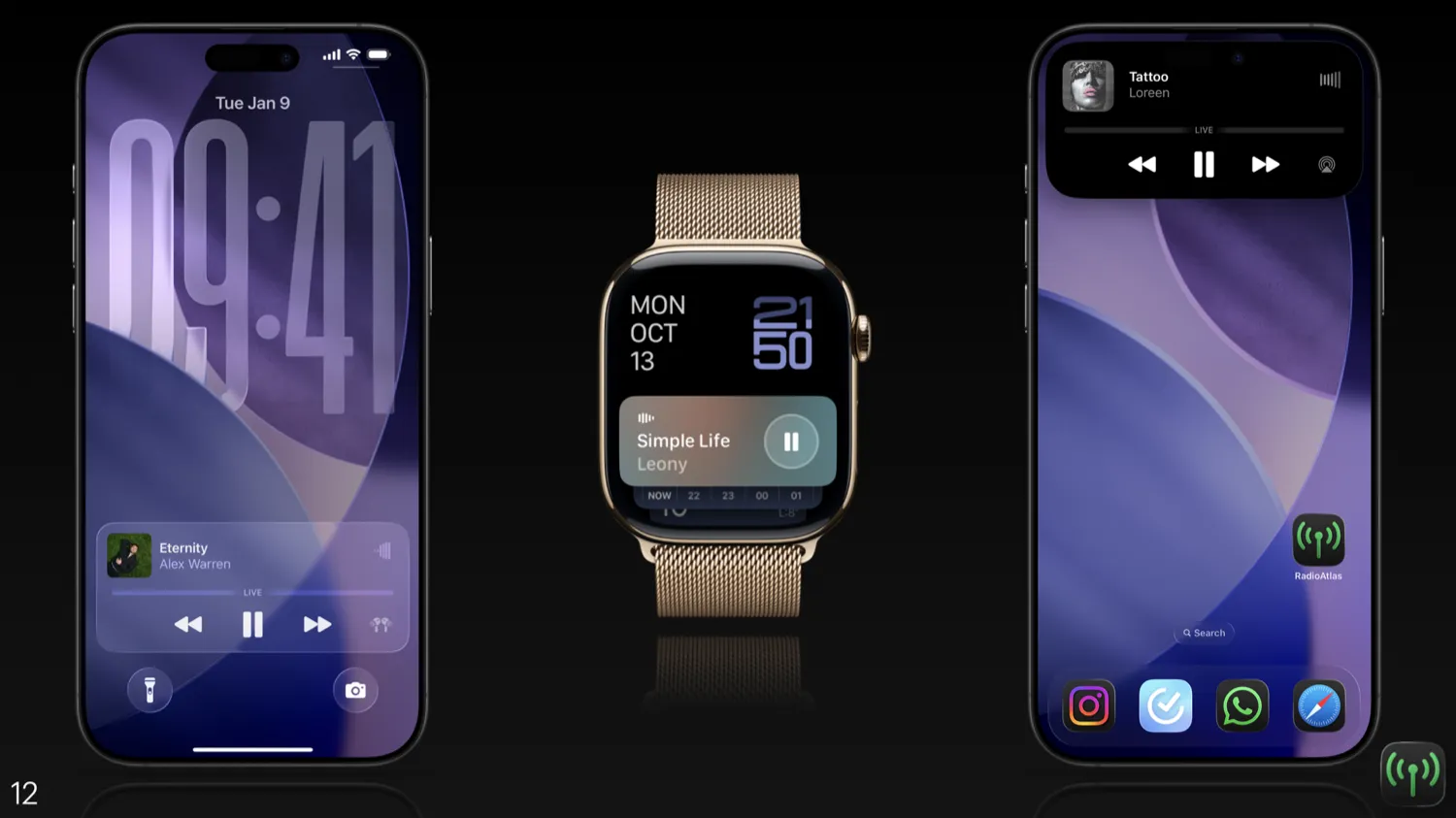
Whenever you start a station, the app updates the system's MPNowPlayingInfoCenter with the station name, location, and artwork. If the stream exposes metadata, the current track and artist show up there as well. That exact payload is what powers the lock screen widget, Control Center tile, Dynamic Island and Apple Watch Now Playing screen. It means you can pause an Australian breakfast show from your wrist while standing on a Munich U-Bahn platform and it feels completely native.
Remote command handling ties into the station history stack. Play and pause are obvious, but next and previous map to "forward" and "back" in your visited stations. That mapping works across AirPods controls, steering wheel buttons in CarPlay and the tiny buttons in Control Center. It feels surprisingly natural to flip through stations that way, as if you're flicking through channels on an old radio, except the channels are spread across the planet.
Now Playing metadata feeds the lock screen, Control Center, Dynamic Island, and Apple Watch, and the same history-aware controls work across AirPods, steering wheels, and tiny Control Center buttons. Timeouts, friendly errors, and OSLog traces keep broken streams from stalling the app.
Streaming live radio is messy by nature, so I built in a timeout and explicit error states. If a station doesn't buffer within roughly fifteen seconds, the app gives up, stops playback, and shows a friendly error instead of spinning forever. All the gory details end up in OSLog so I can inspect them later. Users just see a clear "this station seems to be offline" message rather than being left to guess.
A Brief Rant About TabViewBottomAccessoryPlacement
Let me tell you about one of the most frustrating afternoons of this entire project. iOS 26 introduced this beautiful new API called TabViewBottomAccessoryPlacement and TabBarMinimizeBehavior, a tab bar accessory that sits above your tab bar and can elegantly minimize into it when you scroll. Perfect for a persistent mini-player, right? Except the documentation is about three sentences long and tells you approximately nothing about how it actually works.
I spent hours trying to get the minimize behavior to trigger. The accessory would just sit there, stubbornly refusing to collapse no matter how much I scrolled. Turns out, and this is documented exactly nowhere, the behavior only works if your view has a certain minimum height. Too short? It won't minimize. The threshold? Good luck figuring that out. Apple's implementation is also delightfully buggy in certain edge cases, with the accessory occasionally getting stuck halfway or animating at the wrong time.
That said, once you wrestle it into submission, the tab bar accessory is actually really nice. It gives you a persistent control surface without sacrificing screen real estate, and when it works, the minimize animation feels polished and native. I just wish Apple had written more than a footnote about how to actually use it. Maybe by iOS 36 we'll get some proper documentation. Or at least a WWDC session that mentions the height requirements.
Height matters. The accessory only minimizes if your view clears a hidden threshold, so plan for vertical breathing room. Expect quirks. Half-collapsed states and odd timings do happen, so build light guardrails. Still worth it. Tuned properly, the mini-player feels native without stealing real estate.
Performance, Caching, and Offline Behaviour
The main performance challenge was simple to describe and easy to underestimate: make a global directory of radio stations feel lightweight on a phone. The answer sits in a handful of principles that quietly shape almost every part of the app. Data is always loaded just-in-time for the current view. The initial sync brings down only a useful, popular subset of stations. Everything that might block the main thread gets pushed into async work with unobtrusive loading states in the UI.
The data layer fetches only what the current viewport needs, starts with a lean popular subset so the map has signal immediately, and pushes heavier work off the main thread while the UI stays gentle.
SwiftData helps keep memory usage sane by letting me store stations in a proper on-device database instead of juggling giant in-memory arrays. The app usually doesn't need to keep more than a few thousand station objects alive at once. Combined with SwiftUI's diffing and MapKit's clustering, this is enough to keep scrolling and zooming smooth even on older devices.
To keep everything fresh, a background task runs roughly once a day and asks the Radio Browser API what's new. New stations get merged in, existing ones are updated, and broken entries can be retired over time. Users never see a manual "refresh directory" button, the map simply keeps evolving in the background. Favourites and listening history live entirely in SwiftData as well, which means you can browse your saved stations and old picks even when you're offline and just start playback the moment your connection returns.
Showtime: Presenting RadioAtlas
Eventually all the architectural diagrams and Swift files had to face their final boss: the live presentation. Standing in front of a room full of students and tutors, I opened not with code, but with a story: radio listening numbers slipping, stations quietly disappearing, and the idea that with each station we also lose a tiny piece of human history. I asked who in the room had listened to the radio on purpose in the last month. A few hesitant hands went up.
I framed the whole thing as building something that makes radio feel interesting right now instead of a nostalgia trip.
From there the talk slid into the live demo. I mirrored the iPhone onto the big screen, opened RadioAtlas, and let the map breathe for a second. You could see this dense galaxy of blue clusters across the globe. We zoomed into Munich together, tapped a station, and were immediately greeted not by some cinematic soundtrack but by a brutally normal German radio ad. That moment, with everyone laughing while the app played yet another ad, captured exactly why I built this. It's not a polished, curated experience, it's whatever is actually happening on air, right now.
I then walked through the features in motion instead of as bullet points on slides. We jumped from Munich to other parts of the world, favourited a few stations, and showed how the player followed us into the lock screen, Control Center and onto my Apple Watch. Pausing and resuming from the watch while the big screen showed the Now Playing sheet updating in real-time was a nice visual way to demonstrate the ecosystem integration without listing APIs by name.
The Q&A at the end was refreshingly direct. People wanted to know when it would be on the App Store, whether I'd build an Android version, and if they could hear my "favourite" station from the demo. A friend called my bluff, so we tuned in live and revealed the joke: a tongue-in-cheek station we set up that endlessly loops the Jet2 holiday ad. The room cracked up, and the meme landed better than any perfectly timed song could have.
There wasn't even a grade attached, instead every student voted and RadioAtlas came first. That felt like a stronger signal that the combination of clear storytelling, solid engineering and a tangible demo resonated. After the presentation a few people came up to ask how the map was implemented, whether they could fork the idea for different domains, and if I'd thought about making it a proper product. Even if RadioAtlas never becomes a commercial app, that kind of curiosity and conversation was exactly what I hoped it would spark.
Conclusion and What's Next
RadioAtlas started as a small course assignment and ended up as a fairly opinionated template for how I like to build map-heavy, ecosystem-aware iOS apps. It combined a real-world data source, thoughtful caching, background jobs, and deep integration with the Apple platform into something that doesn't feel like a tech demo when you hand it to someone else. Most importantly, it turned the abstract idea of "preserving radio culture" into something you can literally swipe around and listen to.
There are plenty of directions this could go in: a Jetpack Compose or web version so non-iOS friends can join, smarter filters for power users, maybe even social features so people can trade stations like travel recommendations. Whether or not those ever ship, the project has already done its job for me. It taught me a lot about system design, strengthened my intuition for performance on constrained devices, and reminded me that sometimes the best use of new frameworks is to build something that celebrates an old medium.
For now, I'm happy that somewhere out there, a tiny radio station is broadcasting into the void, and that with a few taps on a glass rectangle, RadioAtlas can help someone stumble across it by accident.