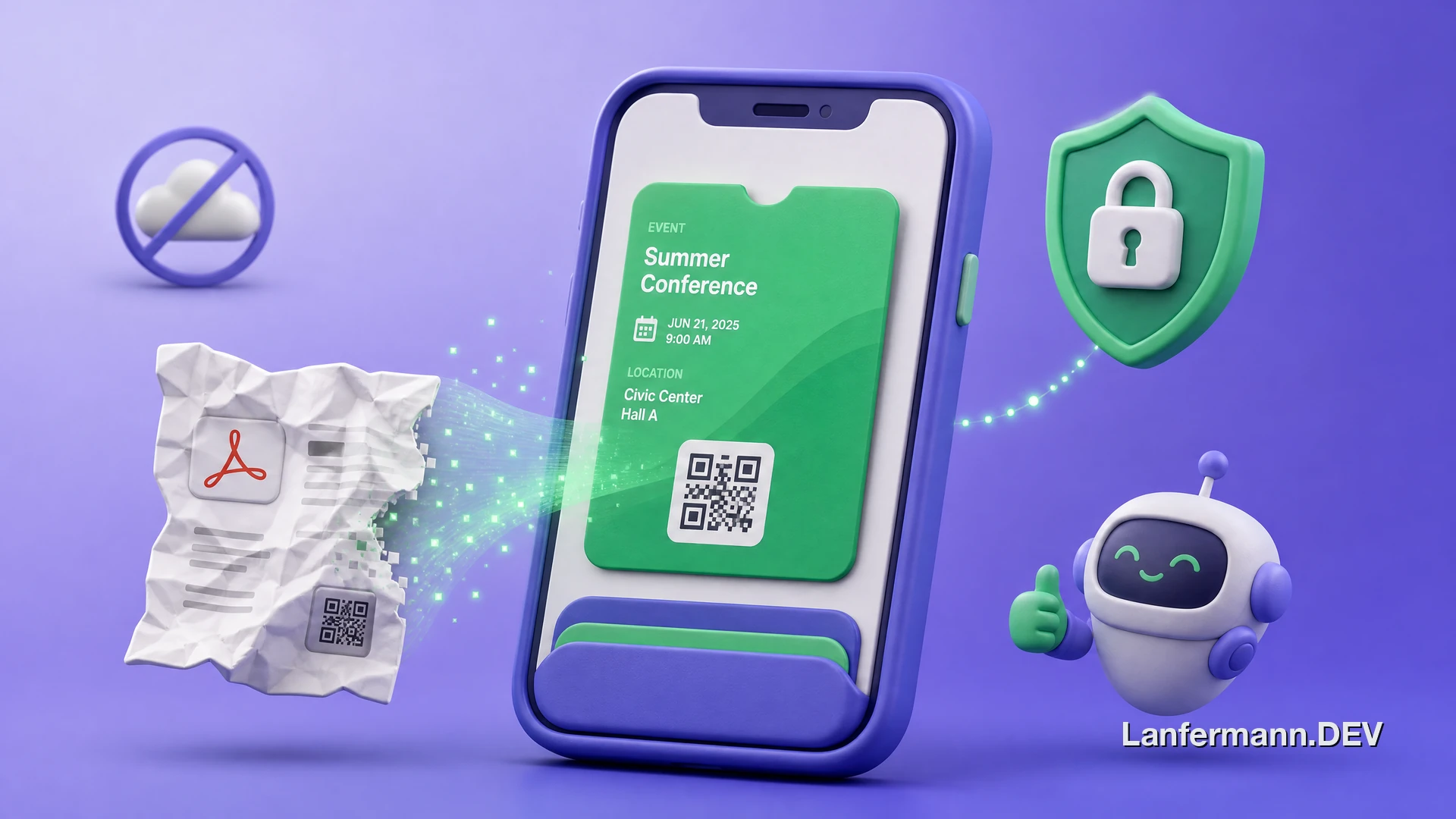
It started with a party ticket. I bought it, it landed in my inbox as a PDF, and I did what I always do: I tried to get it into Apple Wallet. I am the kind of person who keeps everything in there. Double-click the side button and it is all just there, on the lock screen, exactly when I need it. A PDF buried four levels deep in my mail does not do that.
So I went looking for an app that would turn the PDF into a Wallet pass. There are a few. Most of them wanted me to upload my ticket to some server first, and the result was usually a bit fragwürdig, as we say in German: technically a pass, but it would not autofill the details properly, and the servers felt sketchy. It nagged at me for about a month. Then it clicked: I was already learning to build iOS apps that semester. Instead of complaining about the tools, I could just do this properly myself. NeatPass is what came out the other end, and this is the story of building it.
The part that actually bugged me
Picture the typical converter. A site called something like ticket2wallet.whatever, ten ads crammed around the edges, and a tiny upload button in the middle. My uni-party ticket was harmless enough, nobody is going to steal that. But the moment you imagine uploading a real concert ticket, the question gets uncomfortable. Where does that file go? What is kept? What is it used for? You are handing a stranger a file and hoping for the best.
Because tickets are not just a barcode. They carry your name, sometimes your address, billing details, an order number, and a live QR code that is, functionally, the thing of value. A resold Taylor Swift ticket goes for hundreds. Drop one into a random upload box and you are trusting whoever runs that box with quite a lot. That bothered me enough that it became the whole design principle of the app. I genuinely do not want your data. The cleanest way to promise that is not a privacy policy, it is to build something that never receives your data in the first place. You cannot leak what you never had.
Building it myself
The goal was almost embarrassingly small to describe: a screenshot or a PDF goes in, a proper Apple Wallet pass comes out, and the whole thing takes about twenty seconds. No account. No login. No email. No upload step that quietly ships your ticket somewhere. That last constraint is the one everything else had to bend around, and it turned a weekend idea into a much more interesting engineering problem.
Because the hard part is that a ticket can look like anything. A train PDF, a concert QR, a transit pass, a gym card, a hotel booking, a boarding pass. Every issuer lays out their information differently, with the date in a different place, the seat in a different format, the barcode in a different corner. Something has to read each one, find the barcode, the date, the time, the seat, and the venue, and not get confused. Doing that without sending the ticket to a server is where the two most interesting decisions in the project came from.
What twenty seconds actually does
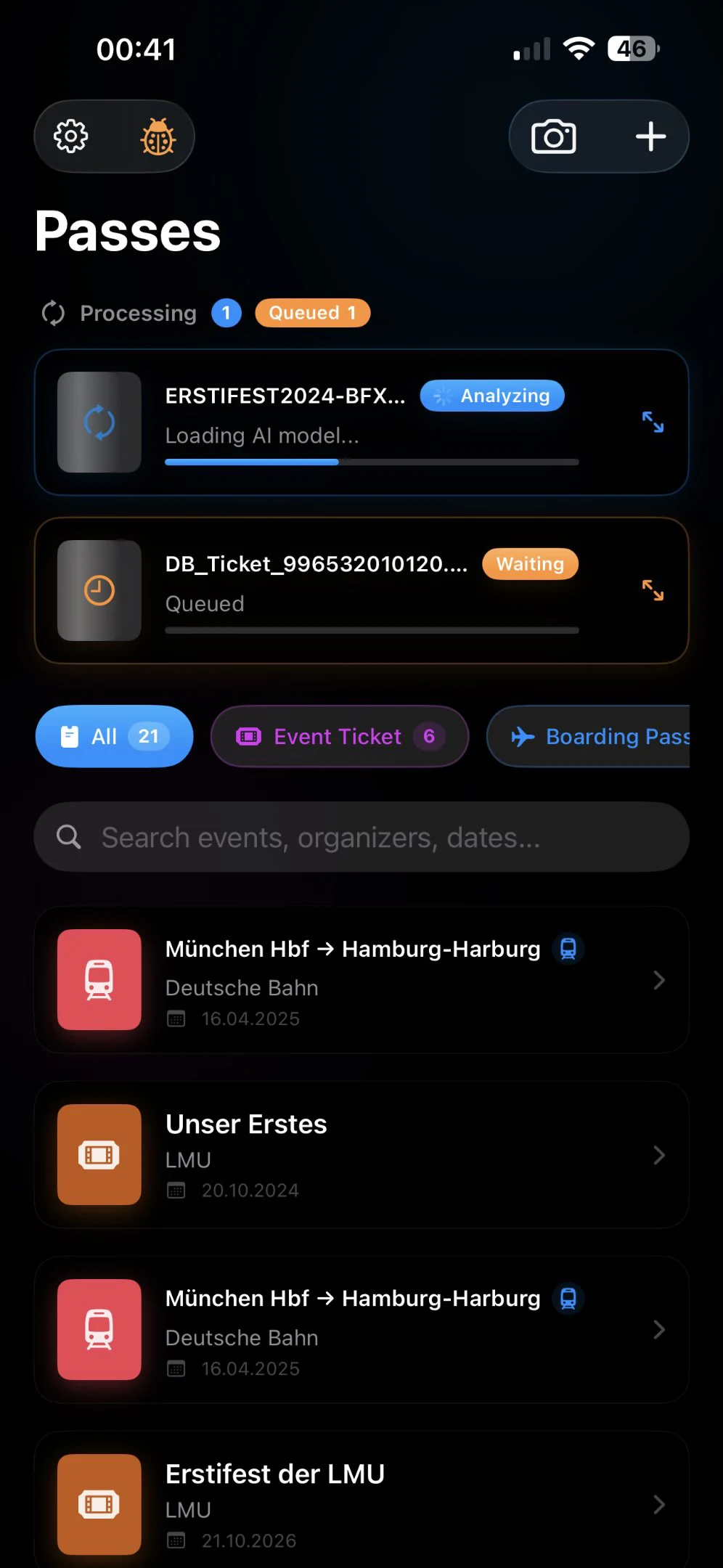
From the outside it is meant to feel like nothing happened. You share a messy screenshot from Mail, Files, Safari, or Gmail, or snap a photo, or paste from the clipboard, and a clean pass appears. Under that calm surface, a few things run back to back, all on the phone:
- Find the code. NeatPass detects and decodes the barcode out of a noisy image: QR, PDF417 for airlines, Aztec, Code 128, Data Matrix, and a dozen more formats, and it preserves the exact code data so the scanner at the door reads it identically to the original.
- Read the rest. The on-device model pulls out the title, the date and time, the seat, the venue, and whatever else the ticket actually contains, then picks the right pass type, event, boarding pass, or loyalty card.
- Build the pass. It assembles a real Apple Wallet pass, keeps your original PDF or image alongside it in case you ever need the source, and drops the result into Wallet so it surfaces on your lock screen when you arrive.
Twenty seconds is not slow code, it is the price of doing the thinking locally instead of renting a data centre. I decided I would rather wait twenty seconds than have my ticket leave the phone, and most people I have talked to make the same trade once they understand what they are getting for it.
A brain that lives on your phone
The obvious move on a modern iPhone is to lean on Apple Intelligence, the system models Apple ships on newer devices. I decided against it for two reasons. The performance was not quite where I wanted it for this very specific extraction job, and it only runs on the newest hardware. I do not even own a phone that supports it, and I wanted to be able to use my own app. So I went looking for a way around it.
What I landed on is a small open language model, Qwen, that I run inside the app and wrapped in a lot of careful scaffolding so it returns the exact fields I want in the exact shape I want them. The weights, the brain, ship with the app: roughly a gigabyte of download. Nothing is hosted anywhere. It runs entirely on your phone through Apple's MLX framework, on the GPU via Metal, fully offline. The ticket never leaves the device because there is nowhere for it to go.
There is real theory hiding behind "wrapped in scaffolding". A language model does not see your ticket the way you do; it sees tokens, and getting it to reliably emit clean, structured output instead of a chatty paragraph takes a fair amount of work around the edges. Bundling my own model rather than calling a general-purpose one also lets me tune it for this single task, which is why a one-gigabyte model on a phone can beat a much larger general assistant at reading a boarding pass.
That is the trade you make for the privacy promise. The app is large for what it is, because it carries its own intelligence instead of borrowing someone else's in the cloud. In exchange, extraction works on a plane, in a tunnel, with airplane mode on, and on a far wider range of iPhones than the Apple-Intelligence-only path would reach. For a tool whose entire pitch is that your documents stay put, carrying the brain around felt like exactly the right weight to add.
Signing a pass without ever seeing it
Here is the puzzle that made the privacy claim real rather than marketing. Apple Wallet will not accept just any file. A pass has to be cryptographically signed, and the easy way to do that is to send the whole pass to a server, sign it there, and send it back. That is exactly the upload step I was trying to kill. So how do you sign something without seeing what is inside it? It sounds like a contradiction.
It is not, and the trick is built into the format. A .pkpass is really just a zip folder of files: the pass data, the icons, the logos. Inside it sits a manifest.json that lists every file alongside a SHA hash of its contents. Crucially, Apple only requires that you sign the manifest, nothing else. A hash is a one-way function, so the manifest is just a column of fingerprints with no way back to the originals:
1{2 "pass.json": "f3c0e1...a7",3 "icon.png": "9b21d4...0e",4 "logo.png": "55a90c...3f",5 "thumbnail.png": "1ee8b2...c4"6}That list is all my server ever sees. A handful of hashes, no filenames, not even file sizes, certainly not your name or your barcode. The server signs the manifest with a developer certificate I requested from Apple, hands back the signature, and throws the hashes away. The finished pass is assembled on your phone. Short of owning a few quantum computers, nobody is reversing those hashes into your ticket. What genuinely surprises me is how few apps work this way, because it is the exact flow Apple describes in their own documentation. My best guess is that some want the data, and some simply never realised it can be done blind.
Stopping the signer from becoming a spam cannon
Blind signing buys privacy, but it opens a different door. A signature says nothing about content. If a server will sign any manifest you hand it, then in principle anyone could use it to sign passes nobody asked for. Wallet passes can update over the air and react to location, so a malicious pass could, say, notice you have arrived at an airport and push you spam. A signing endpoint that signs anything is a tempting little cannon to point at people's lock screens.
So the real work was not the signing itself, it was making sure only my actual app can ask for a signature. Apple gives developers tooling for exactly this: app attestation, a way for the server to demand cryptographic proof that a request is coming from a genuine, unmodified copy of NeatPass running on a real device, not from a script someone pointed at the endpoint. The server signs hashes it cannot read, but it only does so for callers it can prove are the app.
I will not pretend I got every edge of this right on the first try; figuring out how to block abuse without ever learning what is being signed was easily the fiddliest part of the whole project. But it is the part I am most quietly proud of, because it is the difference between a clever privacy trick and something I am comfortable leaving running while strangers throw tickets at it.
When the model makes things up
I will not pretend it is perfect. An on-device model is small by necessity, and small models do a very specific, very human thing: when they do not know, they confidently invent. I have heard of cases: a ticket for a concert in Macedonia came back as a Coldplay show in London. Someone scanned a Fantastische Vier ticket for the Olympiahalle and the app insisted it was the Kleine Olympiahalle, a smaller venue the band would never play, a word that appears nowhere on the ticket.
These are the funny failures, and they are honest ones. The model loses the thread, starts pretending it knows, and fills the gap with something plausible. You cannot simply train that away on a phone, because training a model needs far more compute than asking it a question, and that is not happening on your device while you wait at a turnstile. One beta tester joked that turning his local gig into a London stadium show was an upgrade. He is not wrong, but it is still wrong.
So the fixes are pragmatic. More fine-tuning, against a large pile of synthetic tickets I am generating specifically to push accuracy up. And guardrails wrapped around the model rather than baked into it: if it writes "London" but the word London never appears anywhere in the ticket, flag it and ask you to take a second look. The goal is not a model that is never wrong. It is an app that notices when it probably is, and hands the decision back to you instead of quietly shipping fiction to your lock screen.
Putting it out there
When I had something worth showing, I posted about it on Threads. First thing I had ever posted there. I figured I would test it there before also sharing it on X. Two days later that post had somewhere around twenty-five thousand views and comments were coming in faster than I could answer them. That genuinely caught me off guard. Apparently a lot of people had been quietly annoyed by the exact same PDF problem I had.
The beta ran through TestFlight, Apple's system for handing out apps before they hit the App Store, and it was the best part of building this. People throw tickets at it that I could never have collected myself, from transit systems and venues I have never heard of, in formats I would never have thought to test. My favourite real-world report: someone added a perfectly ordinary Deutsche Bahn ticket to NeatPass, and the app turned it into a Wallet pass, no official Bahn styling, nothing a conductor had ever seen. They held that pass up on the train, and it just scanned. The conductor did not blink. It worked without a hitch.
The feature requests sorted themselves into two clear piles, and both are on the roadmap:
- Customization. Upload your own logo, crop the banner image, and choose whether a code renders as a QR or a barcode instead of letting the app decide.
- Multiple tickets in one PDF. Family tickets often pack four passes into a single file. Today the app grabs the first one. It should see all four and make all four, side by side, the way two flights on one day sit next to each other in Wallet.
Pay once, yours forever
The business model was an easy call, because I knew what I did not want. No subscription. Not for a tool that runs entirely on your own phone and costs me almost nothing to keep running once you have it. You get one pass for free to decide whether you like it, and then it is a single payment, around 4.99 euro, once. After that you get every update for as long as Apple exists or I do, whichever gives out first.
The obvious risk was always that Apple looks at this, decides it is a good idea, and builds it straight into the system. At WWDC 2026 they did exactly that: iOS 27 adds a "Create a Pass" button to Wallet that builds a pass from a template or scans a code with the camera. I have made my peace with it, and honestly it validates the idea. But Apple's version only works with the camera live on a code, and only on newer devices, not from a PDF or screenshot, where NeatPass reads a messy PDF or screenshot end to end and fills the pass in for you. Apple absorbs features sometimes, but a healthy App Store full of paid apps is also part of how Apple makes money, and people are clearly willing to pay for a small thing that just works. Either way, I would rather have built the thing people wanted than sat around guessing whether I was allowed to.
Looking back
NeatPass started as a one-month itch about a party ticket and turned into the project that taught me how to actually ship. Not just write code, but make decisions about privacy, performance, pricing, and, hardest of all, what to say no to. The single constraint that everything has to run on the device shaped every one of those choices, from the bundled model to the blind signing to the attestation, and I think the app is sharper for it.
As I write this it has grown well past anything I expected: more than 37,500 people using it, over 400,000 passes created, a 4.5 rating across 294 reviews, a feature in Apple's "Apps We Love", and a stack of coverage in the German tech press. If you want the longer story of one strange afternoon it produced, I wrote up the time it landed me on a security podcast, and the self-maintaining dataset I built to answer one of its most boring recurring questions.
What is next is less a grand plan and more a taste. I like apps that feel like Apple could have made them, that sit on your phone as if they were always meant to be there rather than something bolted on. There will be more of those. If you want to see this one, it lives at neatpass.app and on the App Store.